
theAuth is open-source auth for AI agents and humans. Star the repo on GitHub · Read the docs · Run the quickstart · theauth.dev
Last spring I found one API key in four places. It sat in a cron job, a Slack bot, a code-review agent, and a notebook a teammate had forgotten about. The key belonged to a human. It could read everything that human could read, and it could write most of it too.
Nothing was wrong yet. Then I asked a simple question: which of the four did that delete last Tuesday? I could not answer it. The logs said the human did it.
That is the problem this guide fixes. You will give each AI agent its own identity, its own token, and a short list of things it may do. By the end you will have a runnable script that creates agents, denies the wrong calls, logs every decision, and revokes one agent without touching the others.
I use theAuth for this, an open-source TypeScript library (@glinr/theauth). I wrote parts of it, so weigh my opinions accordingly. I will say plainly where it does not fit.
This is guide 5 of 8 in the theAuth guides. It stands on its own, so you can start right here. Nothing comes before it. It is the base for guides 6 to 8.
| Guide | Title | Read it when | |---|---|---| | 1 | Add login to an existing Next.js app | You have an app with no auth yet | | 2 | Passwordless login: passkeys, links, OTP | You want to drop passwords or add 2FA | | 3 | Multi-tenant SaaS auth: orgs, RBAC, SSO, SCIM | You sell to teams and companies | | 4 | Migrate from Auth0 or Clerk | You already run another provider | | 5 | Give every AI agent its own identity (this guide) | You run AI agents and need to start somewhere | | 6 | Cap agent spend and require human approval | Your agents spend money or act on risky things | | 7 | Secure an MCP server for production | You expose tools over MCP | | 8 | Build an audit trail for AI agent actions | Someone will ask what your agents did |
Building for people? Start at guide 1. Building for AI agents? Start at guide 5. Every guide links to the docs page for each concept it touches.
| Step | What you do | Result | |---|---|---| | 1 | Install and create an instance | A local SQLite database with agents enabled | | 2 | Seed an owner | One human row that agents hang off | | 3 | Create one agent per job | A kv token per agent, shown once | | 4 | Call authorize() before every action | An allow or deny with an audit ID | | 5 | Add constraints | Rate limits, argument patterns, time windows | | 6 | Check tokens in middleware | 401 and 403 at your HTTP edge | | 7 | Delegate to sub-agents | A narrower scope, with an expiry | | 8 | Read the audit trail, rotate, revoke | Answers to "which agent did that" |
You need Node 20 or newer, TypeScript, and a package manager. You do not need a running server or an external database. The examples use SQLite on disk so you can open the file afterward.
You also need one honest assumption: the agents in your system call tools you control. theAuth gives you the decision point. Your code must ask it before acting. If an agent can reach a database directly with its own credentials, no permission list in the world will stop it.
First, the blast radius equals the human's permissions. A code reviewer that only needs to read pull requests inherits write access to everything.
Second, you cannot revoke one agent. Rotate the key and all four processes break at once. You wait, and the exposed key stays live.
Third, the audit trail lies. Every row names the human. Your compliance questions, and your own debugging, hit a wall.
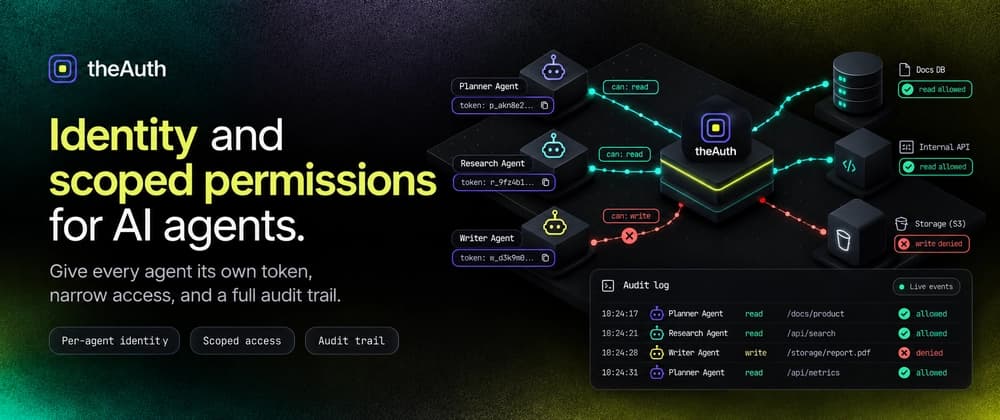
A per-agent identity fixes all three. Each agent holds a token that maps to one row, one owner, and one permission list. The core concepts page describes the loop in one sentence: a user creates agents, agents call authorize() before acting, and every decision lands in the audit trail.
One distinction matters early. An agent is not a user. It has no email, no password, no session, and no OAuth account. It has a bearer token and a permission set. If you catch yourself wiring password reset for an agent, you want a user. The agent identity page draws that line.
Now create demo.ts. I will build it up one piece at a time, and the full file is the sum of the blocks below.
Two settings deserve a note. auditAll records every authorize() call, and it defaults to on. tokenExpiry sets how long a new agent lives when you do not pass expiresAt. A 24 hour default means an agent you forget about stops working by tomorrow. I like that default. A forgotten credential should expire, not linger.