
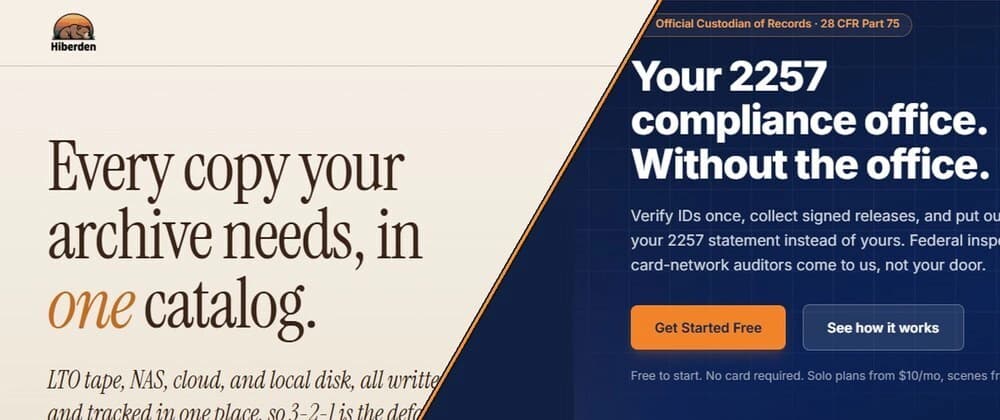
We ship two Model Context Protocol servers. One runs inside a desktop application, on the machine where the data already lives. The other runs as a hosted service behind an account, in front of a multi-tenant database. They speak the same protocol and share almost none of the same decisions.
Most writing about MCP stops at the hello-world tutorial: register a tool, return a string, done. The interesting part starts after that, when you have to decide where the server runs, how it reaches users, how you update it, what it is allowed to touch, and what happens when the assistant calling it is confidently wrong. Those answers are not a matter of taste. They fall out of the deployment model almost mechanically.
Hiberden is desktop software for LTO tape archiving. It keeps a local catalog of everything it has archived: every project, every copy on tape, disk, NAS and cloud, every file path, every checksum, and every overnight job. The MCP server ships inside the application.
Easy2257 is a hosted service that keeps 18 U.S.C. 2257 records for producers in a federally regulated vertical: who appeared in a scene, that identity was verified, which paperwork is signed, and a certificate proving the record existed at a point in time. Its MCP server runs as part of the service. Nothing is installed.
One catalog sits on your desk. The other sits in a database shared by every customer. Nearly everything below follows from that one difference. Where the server runs decides everything else
The desktop server is a local process. The transport is stdio: the assistant launches the server as a subprocess on the same machine as the data. There is no network hop, no listening port, and no inbound surface to attack. The catalog it reads is an ordinary local file the user already owns.
The hosted server is a network service. The assistant connects across the internet to something holding many companies' records at once. Every single request has to answer "who is asking, and what are they entitled to see" before it can answer anything else.
The consequence is not subtle. On the desktop, authentication is mostly solved before you write a line of server code: the person is sitting at the machine, and the operating system already decided they can open that file. On a hosted server, authentication is the product surface. It is the first thing you build and the thing you keep rebuilding. Distribution: an installer problem or a documentation problem
A desktop server has to physically arrive on the machine. A well-built one ships inside the installer, and it is also published to the official MCP registry as a versioned, checksummed bundle running over stdio, plus third-party directories like Glama, which is increasingly how assistants and their users discover servers at all.
A hosted server has nothing to install. The endpoint exists the moment the account exists. Distribution stops being an engineering problem and becomes a documentation problem: the work is making the connection instructions short enough that somebody finishes them.
Each model quietly inherits a different environment. Ship on the desktop and you inherit the user's machine: operating system versions, assistant clients that each store their config somewhere different, antivirus software with opinions about unsigned subprocesses. Ship hosted and you inherit the network: timeouts, retries, and clients that will absolutely call the same tool four times in a row. Versioning: pinned forever, or changed for everyone at once
This is where the two models diverge hardest, and it is the one people underestimate.
On the desktop, the server version is pinned to the application version. A customer running last spring's build is running last spring's tools, and they may run them for years. You cannot fix a tool for everybody at once, and you cannot remove one either, because somebody who never updates will keep calling it forever. Deprecation is a release-notes problem measured in years, not sprints.
On the hosted service there is exactly one version and everyone is on it. A fix reaches every customer the moment it deploys. The flip side is that a breaking change breaks every customer simultaneously, and the software calling your tools is not your software. It is somebody's assistant, wired up months ago, that you cannot test against.
What that works out to in practice: on the desktop, make changes additive and never alter a tool signature that already shipped. On hosted, you can iterate faster, but treat the tool list as a published API contract, because that is what it is. Credentials: keep them out of the conversation
The desktop application already holds credentials it needs for its own work, such as the keys for the customer's own cloud storage account. Those live in the operating system keyring. The rule we settled on is simple and worth stating plainly: credentials never pass through the assistant. The assistant asks the catalog questions and the catalog answers them. Keys are not part of the conversation, are never returned by a tool, and are never needed to call one.
The hosted server has the opposite problem, because the connection itself needs a credential. There are two routes in. A customer can generate an API key, which is hashed at rest and displayed exactly once, capped at ten per account, with every key revoked automatically if the account password is reset. Or they can sign in interactively and connect with short-lived tokens, which can be disconnected in one click. Either way, a credential is scoped to exactly one account, and attempts to look up records belonging to somebody else are throttled rather than merely refused. What the tool surface can afford to do
Now the interesting part. The two servers made opposite choices, and both are right.