
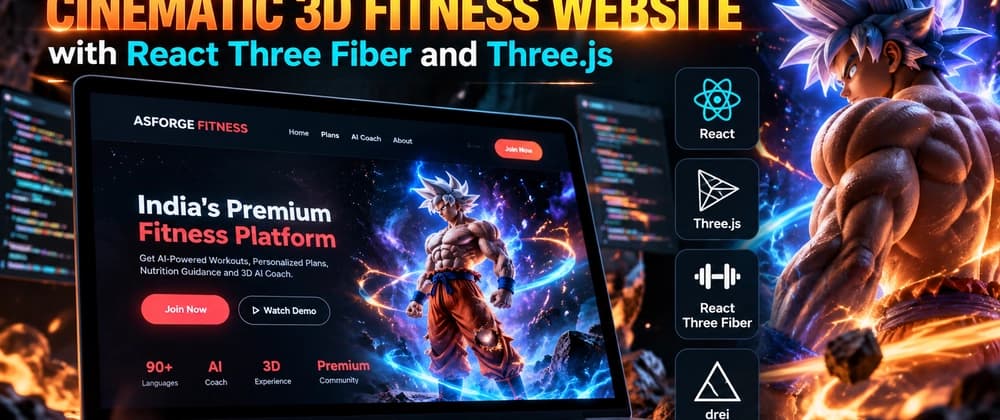
Modern fitness websites don't have to look like a simple collection of cards, buttons, and text.
While building my fitness platform ASFORGE FITNESS, I wanted the website to feel more like an interactive experience. The main goal was to combine a fitness platform with a cinematic 3D interface, animated characters, glowing effects, and an AI fitness coach.
In this article, I'll share how I built the 3D experience using React, Vite, React Three Fiber, Three.js, and Drei.
The idea was to create a fitness website with: A cinematic hero section An interactive 3D character Character animations Animated background effects Stars and particles Energy rings and glow effects AI fitness coach integration Workout and diet sections Membership plans A modern responsive interface
Instead of making the 3D scene a completely separate application, I wanted it to work naturally inside a normal React website.
The main technologies I used were: React Vite JavaScript Three.js React Three Fiber Drei React Three Postprocessing GLB 3D models Gemini AI
The normal website UI is built with React, while React Three Fiber is responsible for rendering the 3D experience.
However, when working inside a React application, managing Three.js scenes directly can become difficult.
Instead of manually creating and managing everything with traditional Three.js code, I could structure the 3D scene using React components.
This made it much easier to keep the 3D scene organized as part of the React application.
function HeroCharacter() { const { scene } = useGLTF("/models/character.glb");
The real challenge was getting the scale, camera position, and character position right.
Initially, my character was either too large, too small, or partially outside the screen.
I then adjusted the character's scale and position until the model stayed inside the hero section while still looking large and cinematic.
import { useEffect } from "react"; import { useAnimations, useGLTF } from "@react-three/drei";
function AnimatedCharacter() { const { scene, animations } = useGLTF( "/models/character.glb" );
return () => { if (animation) { animation.fadeOut(0.5); } }; }, [actions]);
Stars Particles Glowing rings Background effects Energy effects Lighting Bloom Animated elements