
Kubernetes control plane minor version upgrades have historically been an all-or-nothing proposition. In standard Kubernetes clusters, upgrading a control plane from one minor version to the next—such as moving from 1.33 to 1.34—commits changes to storage schemas immediately. If an unexpected regression emerges after upgrading the API server, rolling back to the previous minor version was impossible without restoring etcd snapshots.
To eliminate this operational risk, the GKE team drove upstream contributions in Kubernetes Enhancement Proposal KEP-4330 (Compatibility Versions) and introduced two-step control plane upgrades. Following public preview validation with enterprise customers, this capability is now Generally Available (GA) across all GKE release channels.
In this article, I will explain how two-step upgrades work under the hood, how automated rollouts leverage canary analysis, and how to manage rollback-safe upgrades using the Google Cloud CLI and Terraform.
In Kubernetes, minor version releases introduce storage schema changes, deprecated API removals, and modified controller behaviors. When the kube-apiserver binary starts on a newer minor version, it writes resources using newer internal schemas.
Because earlier binary versions cannot parse data stored in newer schemas, Kubernetes prohibits control plane downgrades across minor versions. If an organization encountered an issue after upgrading, platform operators had to either run the degraded control plane or rebuild the cluster.
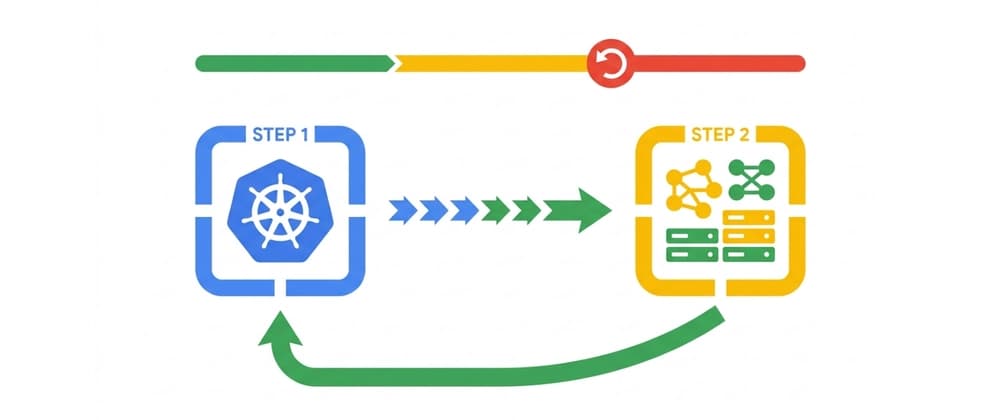
Two-step upgrades decouple binary execution from API capability enablement. By separating the upgrade into two distinct phases, GKE provides an observation period (also known as a soak window) during which operators or automated systems can monitor cluster behavior and roll back the control plane to the previous minor version with zero data loss.
The foundation of two-step upgrades is running a newer control plane binary in an emulated compatibility mode.
When a two-step upgrade begins, GKE advances the control plane through two sequential stages: Step 1: Binary upgrade (emulated mode): GKE upgrades the control plane binary to the target minor version (e.g., 1.34), but configures the API server to emulate the previous minor version (1.33). In this state, the control plane executes the new binary logic, while API schemas match the older version. APIs removed in 1.34 remain accessible. During this soak period, you can safely roll back to 1.33. Step 2: Emulated version upgrade (finalization): Once the soak window completes without incident, GKE updates the emulated version to match the binary version. This step permanently enables the new minor version API schemas and feature deprecations. After this point, rollback is no longer possible.
During the soak period, worker node pools cannot be upgraded beyond the emulated version to preserve Kubernetes version skew rules.
For clusters configured for auto-upgrades, two-step upgrades are enabled out of the box with zero manual configuration required. The GKE rollout engine, known as Control Plane Rollout Service (CPRS), orchestrates the staged lifecycle natively: CPRS upgrades the control plane binary while locking the emulated version to the previous minor release. CPRS initiates an automated 24-hour soak window. The Canary Analysis Service (CAS) monitors cluster health signals throughout the soak duration, including API latency, error rates, and Pod health metrics. If CAS detects unexpected regressions, the rollout halts to allow automated or user-driven rollbacks. Once the cluster passes all CAS evaluations and satisfies the soak timer, CPRS triggers step 2 to finalize the emulated version.
This validation framework has helped GKE control plane upgrades achieve a 99.999% (five nines) rolling 30-day success rate across the global fleet.
If your team manages upgrades manually, you can execute two-step upgrades using the Google Cloud CLI or Terraform.
The --control-plane-soak-duration flag defines the rollback-safe window, supporting values from 6 hours up to 7 days (e.g., 48h or 2d).
For infrastructure-as-code workflows, Terraform includes official support for managing two-step control plane upgrades declaratively by specifying the target version and soak parameters in your GKE cluster resources.
While the cluster is soaking in emulated mode, you can inspect the active rollback state using the CLI:
The output includes a rollbackSafeUpgradeStatus block with the target binary version, emulated version, remaining soak time, and previousVersion string.
If your monitoring tools uncover a regression during the soak window, you can roll back the control plane to the previous minor patch:
Because the control plane ran in emulated mode, no new data formats were written to etcd. GKE downgrades the control plane binary back to the specified version without risking data corruption.