
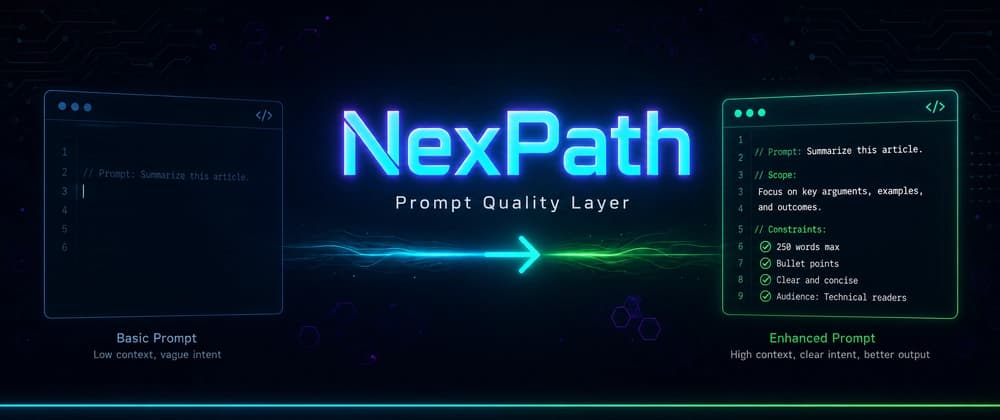
I've been building devpub, an open-source CLI that publishes and tracks articles on Dev.to. Last week I was in Cursor, adding a new analytics feature - full vibe coding mode, rapid-fire prompts, one after another:
Three prompts, three pieces of code generated instantly. I moved on. Two days later I realized the "fix" had silently broken my retry logic, the "caching" had no invalidation strategy, and "faster" meant the agent had removed the safety throttle that prevents Dev.to from banning my API key.
None of those prompts said what shouldn't change. None specified how I'd know it worked. I wrote them in flow, and the agent did exactly what I asked. Which wasn't what I meant.
That's when I tried NexPath, a prompt quality layer for AI coding agents. It sits between you and your agent, catches vague prompts at the moment you submit them, and offers a stronger version. I thought: why not try this on devpub? A real codebase I know inside out, with real prompts I'd actually type. If it works here, it works anywhere.
Table of Contents The vibe coding pattern nobody talks about What if something caught you before you hit Enter? What the enhanced version includes My hands-on experience with NexPath NexPath agent support: Cursor, Windsurf and Claude Code Who NexPath is for: Cursor, Windsurf and Claude Code users What NexPath costs Bottom line
Every developer using AI coding agents has a version of this story. Not because the agents are bad. They're incredibly good at generating code from whatever you give them. The problem is what we give them.
These prompts feel productive. The agent responds instantly. Code appears. You move to the next thing. But six prompts later, your codebase has grown in directions you didn't plan, with assumptions you didn't state, skipping checks you didn't ask for.
The same mistakes repeat: no acceptance criteria, no rollback plan, no mention of what shouldn't change. Not because we don't know better. Because momentum makes it easy to skip.
The answer, I thought, was more discipline. Be better at prompting. Write longer, more detailed requests every time.
NexPath is not another coding agent. It doesn't generate code. It doesn't replace your agent. It doesn't try to be clever. It sits between you and your AI agent, and when you submit a vague prompt, it holds it for a second and says: "Here's a stronger version of what you meant. Want to use it instead?"
The simplest way I'd describe it: "NexPath is the thing that keeps AI-generated code from becoming a mess."
The workflow: You write your prompt in Cursor, Windsurf, or Claude Code NexPath intercepts it at submit time A popup shows your original alongside an enhanced version You pick which one gets sent The chosen version auto-submits to your agent
Your original intent stays visible throughout. Nothing auto-sends without your approval. If a prompt doesn't need enhancement, NexPath stays silent.
When the enhancement fires, it doesn't rewrite your prompt. It wraps your original request with: Scope boundaries: what should change, what shouldn't Acceptance criteria: how you'll know it worked Verification steps: tests to run after Safety requirements: rollback plan for risky operations Sequencing: if the task is complex, break it into ordered steps
Fix the rate limiter in DevtoClient.throttle(). Scope: only modify the timestamp tracking logic in src/devpub/api/devto.py. Do not change RATELIMITREQUESTS or RATELIMITWINDOW constants. Do not modify the retry logic in request(). Acceptance: 30 requests per 30-second window still enforced, no sleep longer than 30s. Verify: run pytest tests/test_api.py after changes.
That's what I should have written in the first place. But I didn't, because I was in flow.
Push all draft articles to Dev.to with published=true. WARNING: This is a destructive action. Published articles are immediately visible to readers and cannot be easily unpublished. Scope: only modify the published field in article payloads. Safety: list all affected articles first and confirm count before proceeding. Rollback: note all article IDs changed so they can be reverted to draft if needed. Verify: check each article URL returns 200 after publishing.
The difference between "just do it" and "do it carefully," surfaced at exactly the right moment.