
I pasted the markdown. Slack ate the table. The code block lost its indentation. The task list rendered as literal [ ] characters. I spent five minutes reformatting something that already looked perfect in my editor.
Not to Notion — they would have to sign up. Not to Google Docs — same problem, plus I did not want this living in someone's Drive forever. Not to a pastebin — those are single blobs of text with no structure, no pages, no way to come back and fix a typo tomorrow.
I wanted: one link, multiple pages, markdown that actually renders, no account required, and a way for me to edit it later without the URL changing.
I have built sharing tools before. FreeShare for files. NotePage for single-page text. SharePad is what I wished existed when I needed something in between a pastebin and a wiki — but without the signup wall.
Most "share your notes" products follow the same playbook. Create an account. Verify your email. Create a workspace. Invite people. Configure permissions. By the time you are done, the meeting is over and nobody cares about the notes anymore.
You write markdown. You get two links: View link — /n/kitchen-reno — hand this out freely Edit link — /e/{secret-token} — this is your ownership credential. Do not share it.
No account. No password to create (unless you want to lock the view link). No "upgrade to share with more people." The edit token is your identity for that notebook.
That one decision — token-based ownership instead of user accounts — simplified everything else. No auth flows. No session management. No "forgot password" for the app itself. Just a 32-byte secret generated at creation time, hashed with SHA-256, stored in Postgres, and shown to you exactly once.
Before the architecture diagram, here is what this looks like when you are actually using it.
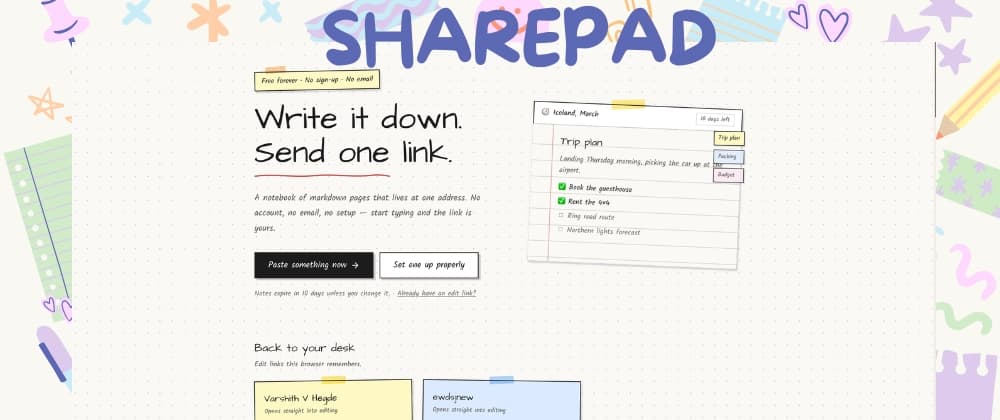
Paste and share in ten seconds. Go to /quick, drop your markdown, get a link. Title comes from your first heading. Slug is generated automatically. Edit link lands on your clipboard. Done.
Multi-page notebooks behind one URL. This is the main thing that separates it from a pastebin. A notebook can have dozens of pages — meeting notes, appendix, todo list, reference docs — all navigable from a sidebar index. Readers see one link. You manage one notebook.
Pick your own address. At /new you can claim sharepad.in/n/kitchen-reno while you type. Taken names tell you immediately. Reserved slugs (/new, /quick, /api, etc.) are blocked so you cannot accidentally break routing.
Two levels of access. Share the view link in Slack. Keep the edit link in your password manager. Or flip on open editing and let anyone with the view link write content — useful for a shared grocery list or a retro board where you do not want people creating accounts.
Important detail: open editing lets visitors change content. Settings, expiry, password, and deletion always require the edit token. A visitor cannot lock you out of your own notebook.
Lock it down when you need to. Password-protect the view link (bcrypt hashed). Flip read-only mode. Set burn-after-read so the link works exactly once. Choose visibility: public (indexable), unlisted (link only), or private (view link blocked entirely).
Paste screenshots straight into the editor. This took longer to get right than I expected. You paste an image, it compresses in the browser, uploads to Cloudflare R2, and inserts the markdown link. More on that below.
Print the whole thing as a real document. /n/slug/print strips the handwritten aesthetic and renders every page in Source Serif — title sheet, table of contents, page breaks. Save as PDF from the browser. Handwriting disappears. It looks like something you would hand to a client, not something you scribbled on a sticky note.
It cleans up after itself. Notebooks expire in ten days by default. Push that to a year, or turn expiry off. When the timestamp passes, view links die immediately. Three days later a cron job deletes the row for real.