
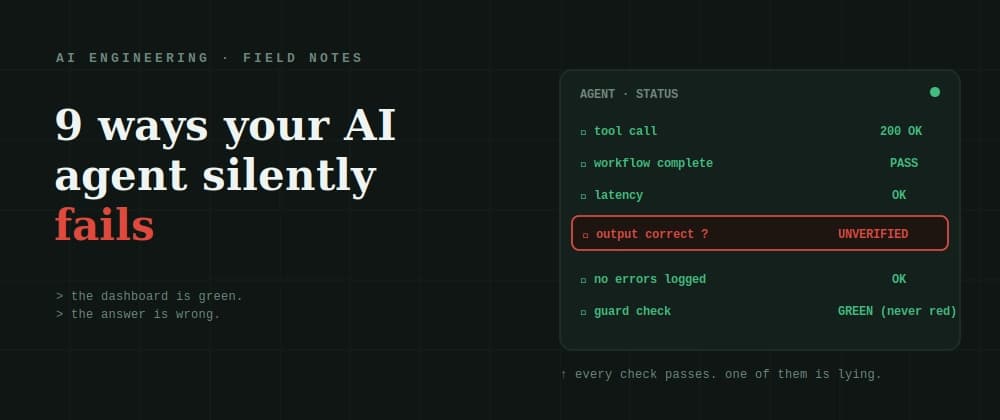
Two days later it's confidently returning wrong answers to real users — and your dashboard is still green. No error code. No stack trace. No 500. Nothing to grep for. The workflow completed. The response looks great. It's just wrong, and it has probably been wrong the same way a few dozen times already.
This is the thing nobody warns you about when you move an agent to production: agents don't fail like normal software. A database fails with an error code. An API fails with a 500. A bad LLM call fails with an obviously low-quality response you can spot. An agent fails by completing the task and handing you a confident, well-formatted, plausible answer that happens to be false — and by the time a downstream consequence makes it visible, hours have passed and the root cause is buried.
There's a name for this from classic reliability work: differential observability. The application suffers, but the observer designed to notice reports health. Gray failures. Fail-slow. The monitor stays green while the thing it's watching quietly rots.
Every failure below is a version of that same gap — a place where "success" and "correct" quietly come apart, and your monitoring only sees the first one. Here are nine of them, each with the symptom, why it stays invisible, and how to actually catch it. The HTTP 200 empty payload
Tool calls fail 3–15% of the time in production. The loud failures are fine — a timeout, a 500, an exception you can catch. The silent ones are the killers: a tool returns HTTP 200 with an empty body, a null, or a garbage payload, and the agent treats it as a successful result and proceeds to reason over nothing.
Why it's invisible: everything downstream is technically "working." Status code says success. The agent got a response. Nothing threw.
How to catch it: validate the shape and content of every tool result, not just the status code. Assert the payload is non-empty, matches the expected schema, and contains the fields you're about to use. Treat a 200 with an empty body as a failure, loudly — because to your agent, it's worse than an error, it's a confident lie. The poisoned step (error propagation)
A single wrong tool argument at step 2 silently corrupts step 3, which feeds step 4, and so on. By the time you see a bad final answer at step 20, the actual defect is nineteen steps upstream and nearly impossible to trace. This is repeatedly cited as the single most common and most insidious agent failure mode.
Why it's invisible: each individual step looks locally fine. The corruption is in the hand-off, not any one action, and you're only inspecting the final output.
How to catch it: check intermediate outputs at each reasoning step, not just the end. A guard that validates the state between steps flags the corruption at its origin — where it's cheap to fix — instead of at the final output, where the root cause is hardest to find. Bonus: each intercepted failure becomes a structured record (input state, tool call, what blocked it, which step), which is your audit trail. Goal drift
Over a long, multi-step run, the agent slowly wanders away from the objective you actually gave it. No single step is wrong. Step 8 is a reasonable follow-on from step 7. But the sum of forty locally-reasonable steps ends up solving a subtly different problem than the one you asked for.
Why it's invisible: you're evaluating individual actions, and each one passes. Drift only shows up in the trajectory, which nobody's measuring.
How to catch it: periodically re-anchor to the original goal — literally re-inject the objective and ask "is what I'm doing now still serving this?" Evaluate the whole trajectory against the stated intent, not just the final answer's surface plausibility. Goal drift is a trajectory bug; you can't catch it one step at a time. The amnesiac mid-task (context loss)
The context window fills up during a long run. Tool definitions, key constraints, or facts established early get pushed out of scope. The agent keeps going — now quietly acting without the information it had ten steps ago, and with no idea it lost anything.
Why it's invisible: there's no error when context gets evicted. The agent doesn't know what it can no longer see; it just proceeds on a smaller picture and sounds equally confident doing it.
How to catch it: monitor context budget as a first-class metric, and assert that critical facts (the constraints, the tool schemas, the original ask) are still present at the moment a decision is made. If the thing the agent needs to decide correctly has been evicted, that's a failure state — treat it like one instead of letting the agent guess. The retry loop / runaway cost
A tool call fails, so the agent retries. It fails again, so it retries again. With no hard limit, this runs indefinitely — and it doesn't produce a wrong answer, it produces exploding latency and a cloud bill that can burn through your budget in minutes, before any human notices.
Why it's invisible: there's no incorrect output to catch — the agent is "still working." The damage is in cost and latency, which your correctness monitoring isn't watching.